FinancyAI
Personal finance app with Finn, an AI assistant that logs expenses by voice, chat or receipt photo. Live on the App Store and Google Play.
- My role
- Product, design, mobile and backend development, release
- Stack
- React NativeExpoTypeScriptKotlinSwiftSupabasePostgreSQLCloudflareNext.jsAstro
- AI in the project
- Claude APIWhisperClaude Code


The problem
Personal finance apps demand discipline: logging every expense by hand, reading charts and picking categories. Most young people in Colombia drop them within weeks, and the apps that connect to banks ask for access many people do not want to give.
The solution
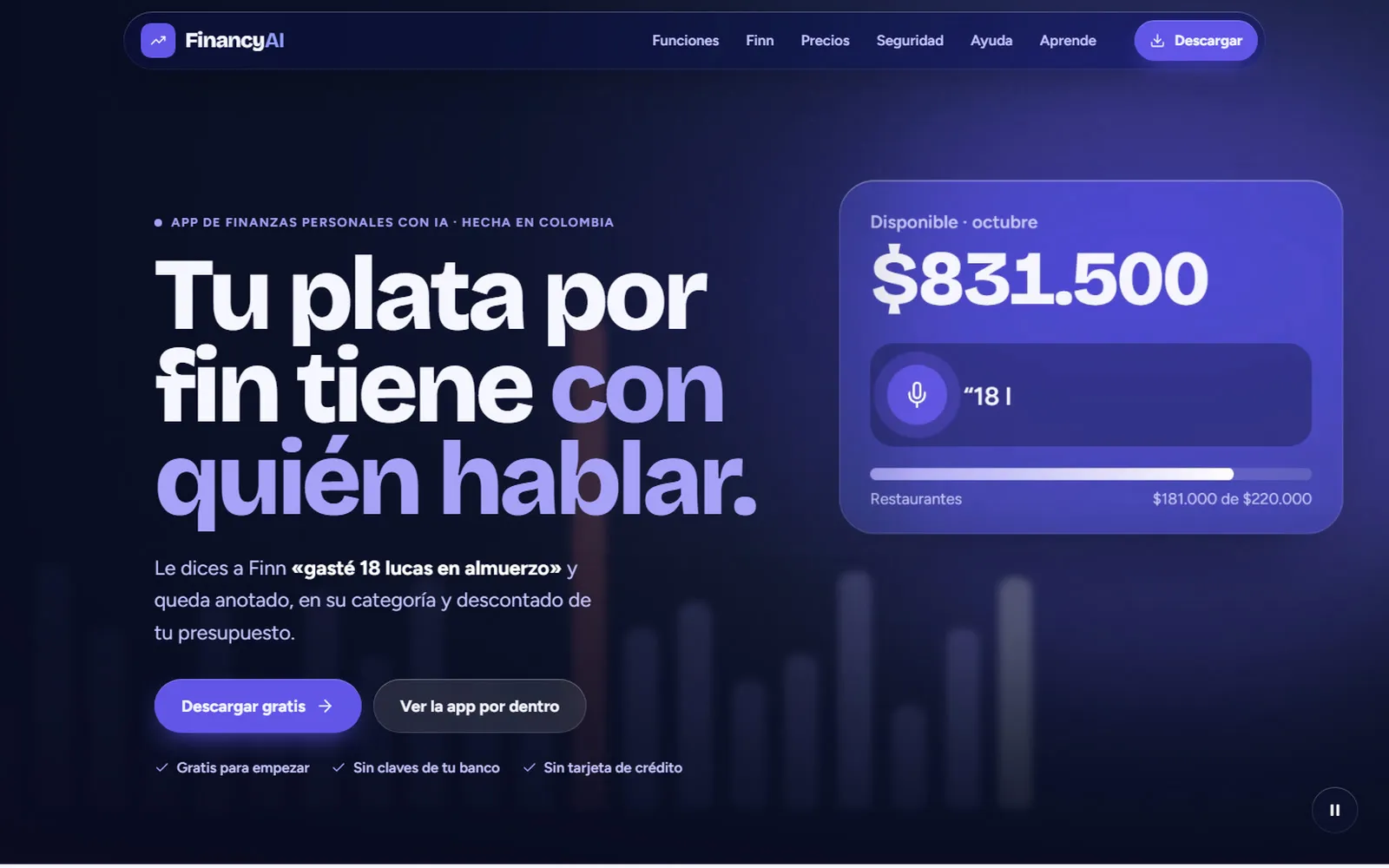
An app where logging costs almost nothing: you tell Finn «gasté 18 lucas en almuerzo» (Colombian slang for 18,000 pesos on lunch) and it is recorded, categorized and deducted from the budget. It also understands receipt photos, bank messages and voice, without asking for bank account access. Finn explains the month, warns before you overspend and helps you save for concrete goals.
By the numbers
- 2 storesLive on the App Store and Google Play
- 30Accounts created in the first weeks
- 7,560Page views on financyai.net in the last 30 days
- 117Proactive alerts sent by Finn
- 139Transactions logged by users
- 54Automated test files
- 0%Server errors on the website in 30 days
Demo
The five ways to log an expense: voice, chat with Finn, receipt photo, bank message and manual entry. Real interface with sample data (in Spanish).
What it looks like




Architecture
High-level view of the pieces and how they connect.
- Client
Mobile app
React Native with Expo and TypeScript. Native modules in Kotlin and Swift, plus an iOS widget.
- Server
Serverless layer
On Cloudflare. Connects the app to the AI models and applies each plan's usage rules.
- AI
Finn
Claude with tools to log, query and plan; Whisper to understand voice.
- Data
Supabase
PostgreSQL with access restricted to each person's own data.
- Operations
Admin dashboard
Next.js with usage, purchase and support metrics.
- Marketing
Website
Static Astro site with a help center, blog and legal pages.
How I used AI
What AI did, what I decided and how I checked that it works.
01
What AI did
- Wrote a large part of the screens, services and tests from short specs.
- Proposed database migrations and helped debug native build errors on Android and iOS.
- Drafted help content, guides and marketing videos that I then reviewed.
02
What I decided
- The product: who it is for, Finn's Colombian tone and what it can and cannot do.
- The architecture, the providers and the AI model for each task, balancing cost and speed.
- Privacy by design: minimal data, explicit consent for AI and zero access to bank accounts.
- The freemium model, pricing and which features are Premium.
03
How I verified it
- 54 automated test files, including data permission tests.
- Testing on real Android phones and iPhones before every release.
- Apple and Google review to publish, including in-app purchases.
- Lighthouse audits on every page of the website.
Technical challenges
Teaching Finn how people actually talk
Nobody types “expense of 18,000 pesos in the food category”. People say «18 lucas en almuerzo», «me cayó la quincena» or «un palo para el arriendo». Finn interprets Colombian Spanish, proposes the entry and asks for confirmation before saving it, so the user always has the final word.
Logging expenses without connecting to the bank
Connecting to the bank was the easy path, but many people do not want to grant that access. The alternative was reading what the bank already sends them: on Android the app detects the purchase notification or SMS; on iPhone a Shortcut sends the message to Finn with one tap. That required custom native modules in Kotlin and Swift.
Useful AI that does not eat the budget
Every message to an AI model costs money. I used a fast, inexpensive model for everyday tasks, tightly scoped tools so Finn acts in few calls, and different usage rules for the free and Premium plans.
Actually shipping
Reaching the stores meant solving in-app purchases, privacy policies, consent under Colombia’s data protection law (Ley 1581), Apple and Google reviews, and a website with a help center.
Results
- Live on the App Store and Google Play, with free and Premium plans.
- 30 accounts created in the first weeks on the stores, with 139 transactions logged and 117 proactive alerts from Finn.
- Degree project for the Software Development Technologist program, graded excellent.
The website by the numbers
financyai.net is the front door to the app. In the last 30 days, according to Cloudflare:
- 7,560 page views and 6,790 visits.
- 42,360 requests served with 0% server errors.
- 73% of requests answered from cache, close to the visitor.
- 100 on Lighthouse on desktop and between 94 and 99 on mobile.
App numbers come from the database (only totals, no data about any person). Website numbers are measured at Cloudflare’s edge and include search engine crawlers.
What I learned
AI speeds up building enormously, but what gets a product to production are the decisions around it: what not to build, how to protect data, how much each message costs and how to prove everything works. If I started over, I would measure retention from day one to decide features with data instead of intuition.